
From listing photos to a walkthrough video
- 1
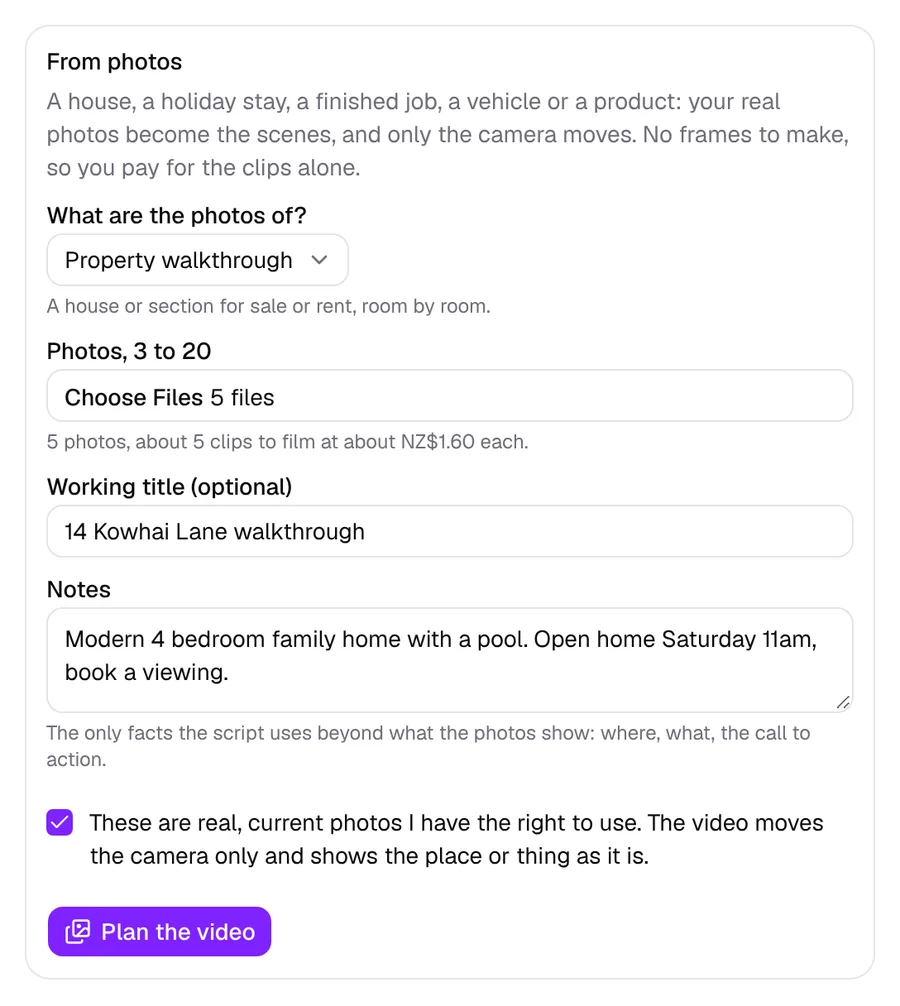
Add your listing photos
Pick Property walkthrough and add 3 to 20 real photos of the house or section, with a note on where it is, the open home and how to get in touch. You tick that they are current photos you may use.
- 2
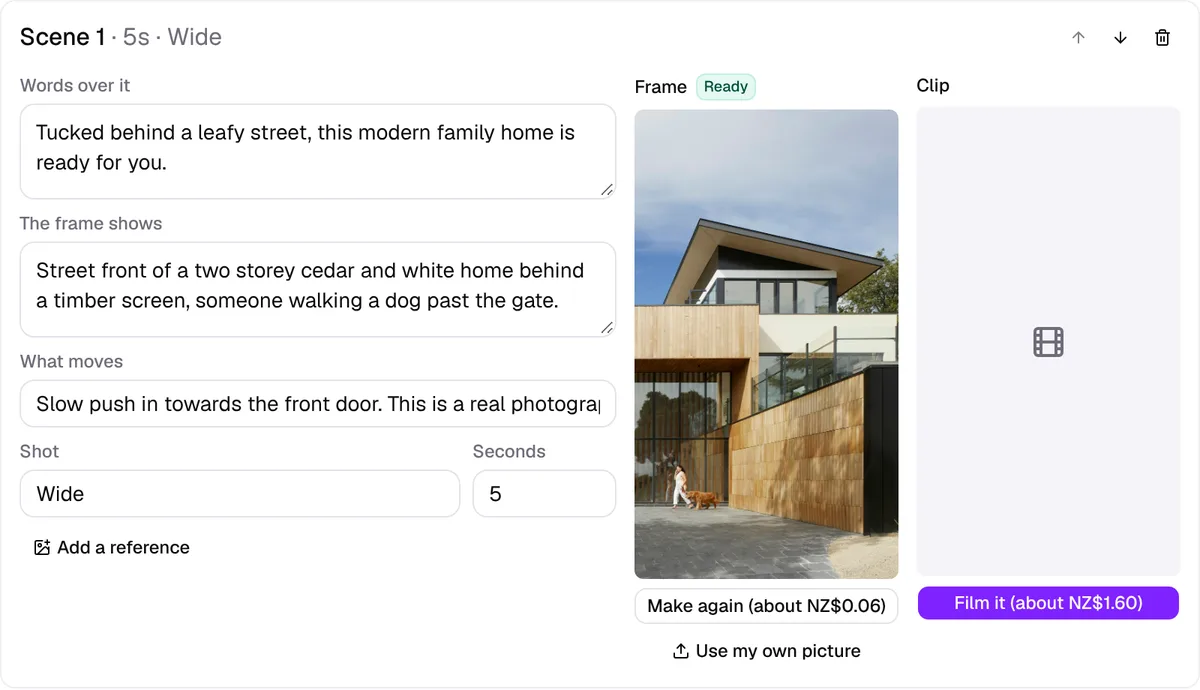
It plans the walkthrough
The photos are put in the order a buyer would walk it: arriving outside, the living areas, kitchen, bedrooms and outdoor space, ending on the best view or the front of the house. Each photo gets one line of script and one slow camera move.
- 3
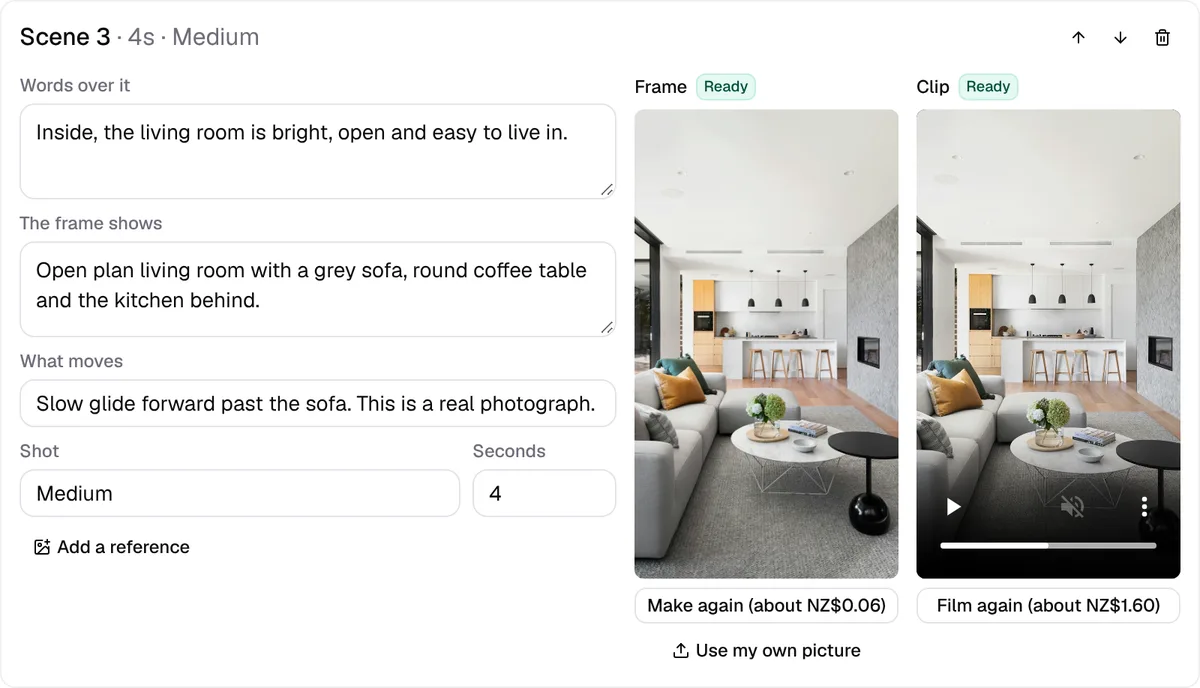
Each photo is filmed
Every photo becomes a 4 to 6 second scene with a smooth, gimbal style move. Only the camera moves. Change one scene's words or move without redoing the rest.
- 4
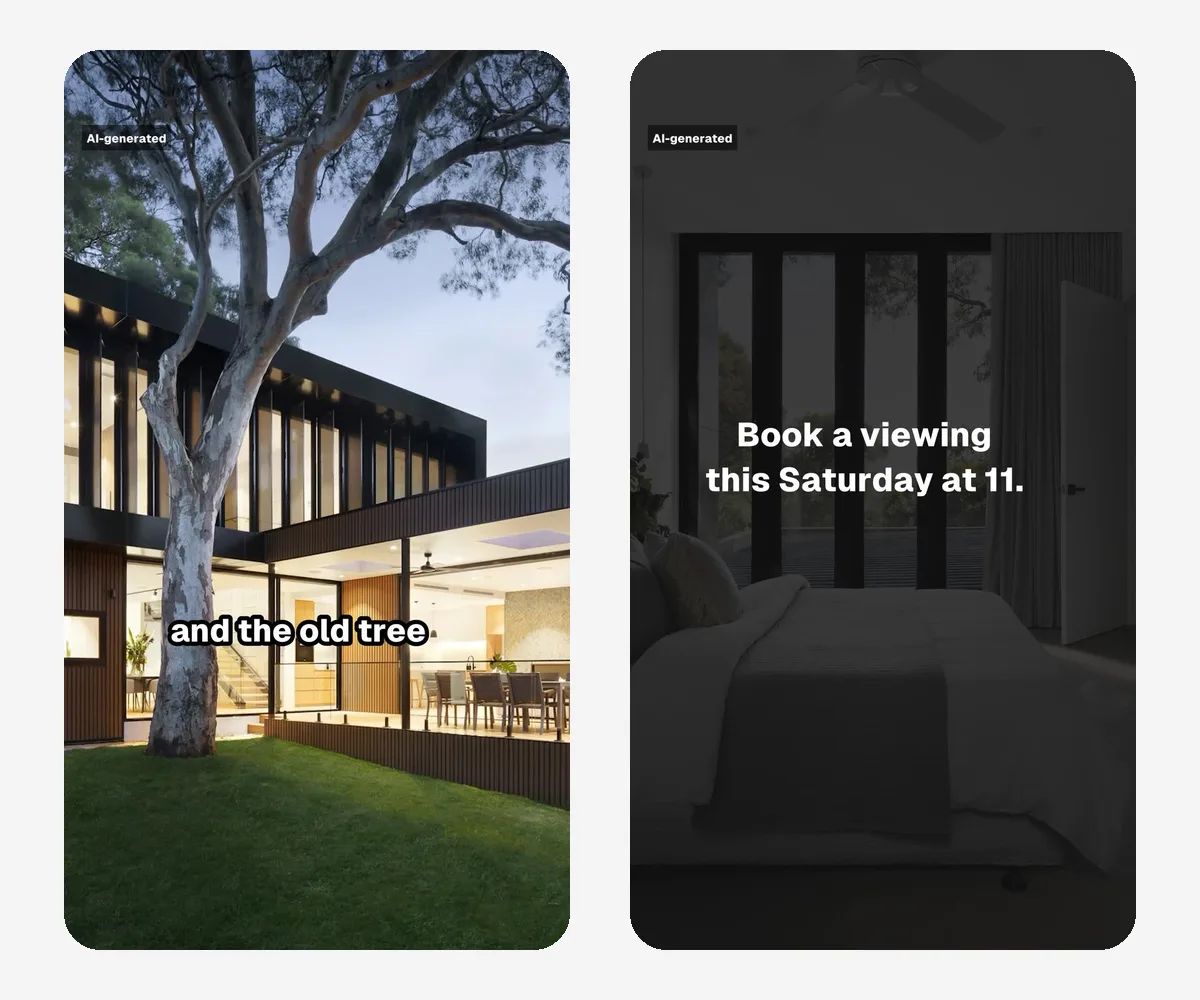
Voiced, captioned, ready
A New Zealand voiceover is added, or your own recording, with captions and an end card carrying your call to action. Download it, or send it straight to a TikTok ad.
Screens from Beyond Ads Studio. Example photos from Unsplash, used under its licence.
The house stays exactly as it is
A listing video has to show the property as it really is. Every scene is told the photo is a real place and must not change: no added furniture, no bigger rooms, no bluer sky, no new view, nothing removed or restyled. Only the camera moves, slowly, like a gimbal.
The script works the same way. It says only what is in the photos or the notes you give it, and never invents a feature, a price, a floor area, a review or a result.
- Your real, current photos, ticked as yours to use
- Nothing in the photo added, removed or restyled
- Only what the photos and your notes say
- Declared as AI-made to TikTok whenever it runs as an ad
A finished real estate video, not a slideshow
Vertical 9:16, 1080 by 1920
Made for phones: TikTok, Instagram Reels, Facebook Reels and YouTube Shorts.
Real camera movement
Push ins, pans and glides filmed from each still, so a listing feels like a walkthrough rather than a slideshow.
A New Zealand voice, or yours
New Zealand, UK and US voices. Or record or upload your own, so buyers hear the agent they will meet.
Captions on every line
Most people scroll with the sound off, so every spoken line is on screen, timed to the voice.
Your call to action
The video ends on an end card with what to do next: book a viewing, come to the open home, call the agent.
Captions in your font
Pick the caption font: clean and bold, tall and condensed, or an elegant serif that suits property.
Yours to download
Download the finished video for your listing, your socials or an email to your database.
Fix one scene, not all
Don't like a line or a move? Change that one scene and join the video again. The rest stays as it was.
Videos from photos for any listing
Pick what the photos are of and the story is told the right way for it. The same flow works for property managers, bach owners, builders, car yards and shops.
Property walkthrough
A house or section for sale or rent, room by room.
Holiday stay
An Airbnb, bach or room, told as arriving for a getaway.
Finished job
A build, renovation, house removal or landscaping job, before to after.
Vehicle
A car, boat or machine for sale, from the hero angle to the details.
Product showcase
A product shot from a few angles, made to move.
From the video to the enquiry
TikTok ads, built switched off
Send a finished walkthrough to an ad and it goes out on your own link. Ads are built in your own TikTok account switched off. Only you switch them on, inside a daily cap you set.
Lead ads for enquiries
Run your ads as TikTok lead ads with an instant form, and each enquiry is emailed to you as it comes in.
Videos from a brief
Write a brief for an agency brand film, an explainer or an auction day promo and get the script and scenes, filmed one at a time.
Shorts from long videos
Upload a market update, a podcast or a seminar and get the best moments as captioned vertical clips.
Also in Beyond Ads: custom videos from your team's clips and photos and three TikTok ads from one product link.
Real estate videos, answered
Do I need to film anything?
Do I need to film anything?
No. The video is made from the listing photos you already have. Add 3 to 20 photos and a short note, and each photo is filmed as its own scene with a slow camera move.
Will the AI change how the house looks?
Will the AI change how the house looks?
No. Every scene is told the photo is real and must stay exactly as it is: no new furniture, rooms, views, weather or people, nothing removed or restyled. Only the camera moves. The script mentions only what is in the photos or your notes, never an invented feature, price or size, so the video shows the property as it is.
How long is the video?
How long is the video?
Each photo runs 4 to 6 seconds, so 3 photos make a short teaser and 20 photos a full walkthrough of up to about two minutes.
Can it use my own voice?
Can it use my own voice?
Yes. Record or upload your own voiceover, or pick one of the New Zealand, UK or US voices. You can also have your voice learned, with your permission, so new scripts are read in it.
Where can I use the video?
Where can I use the video?
It is vertical 9:16 at 1080 by 1920, ready for TikTok, Instagram and Facebook Reels and YouTube Shorts. Download it for your listing or socials, or send it to a TikTok ad that is built switched off in your own account.
Is it only for real estate?
Is it only for real estate?
No. The same flow makes videos of holiday stays, finished trade jobs, vehicles for sale and products, each told the way that kind of video should be.
What does it cost?
What does it cost?
Pay as you go: AI work comes off prepaid credit in New Zealand dollars, and new accounts start with NZ$10 free. No card and no plan to pick. Here, AI work means planning the walkthrough, filming each photo and the voiceover.
Is it a New Zealand company?
Is it a New Zealand company?
Yes. Beyond Ads is made by Beyond (Global Support Limited) in New Zealand, and everything it writes is in New Zealand English.
Make your first walkthrough today
Sign up in a minute. New accounts start with NZ$10 of free credit, then pay as you go.
- 1Tell us your name, email and what you make or sell.
- 2Type the eight digit code we email you. No password, no card.
- 3You're in, with NZ$10 of credit and a short set-up to get you going.